Docs / Browser & git
Changes
Review every change a session made, leave notes on lines for Claude, then commit, push and open a pull request.
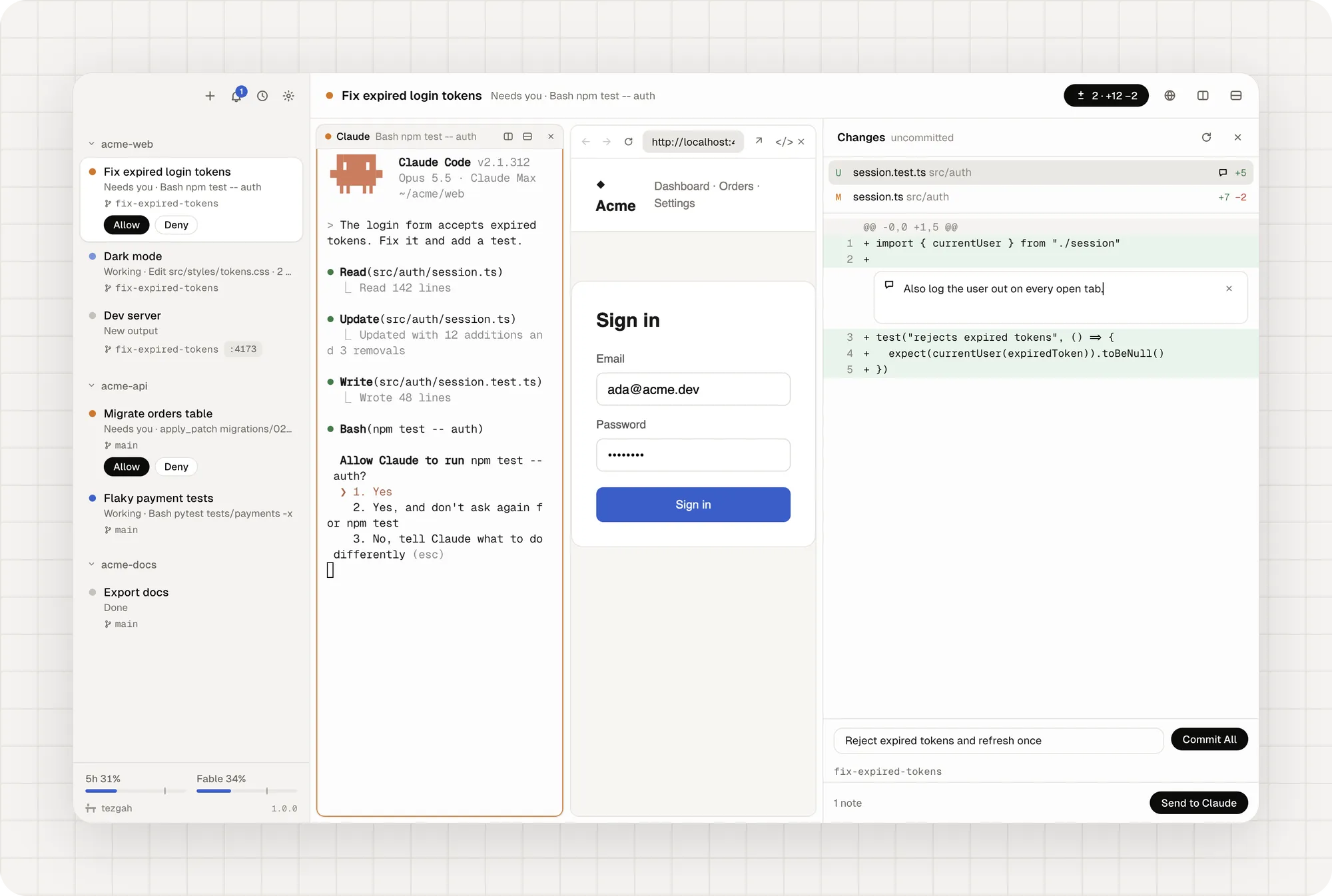
The Changes panel shows what changed in the session’s folder: every file, every line. Open it with ⇧⌘D (Ctrl+Shift+G) or the button in the session’s header, which also counts the changed files and lines (± 2 · +12 −2).
Leave notes for Claude
- Click a line in the diff.
- Type a note: “Also log the user out on every open tab.”
- Add as many as you like, on any lines in any files.
- Click Send to Claude. All the notes go to the session’s Claude in one message, each with its file and line.
Commit, push, open a pull request
- Write a commit message and click Commit All.
- Push sends the branch; the panel shows how many commits are waiting to be pushed.
- Open Pull Request creates one with the GitHub CLI. Once it exists, the session shows it in the sidebar.
The Changes panel needs git; pull requests need the GitHub CLI signed in with gh auth login.