Docs / Getting started
Introduction
What Tezgah is, who it's for, and how it's organized.
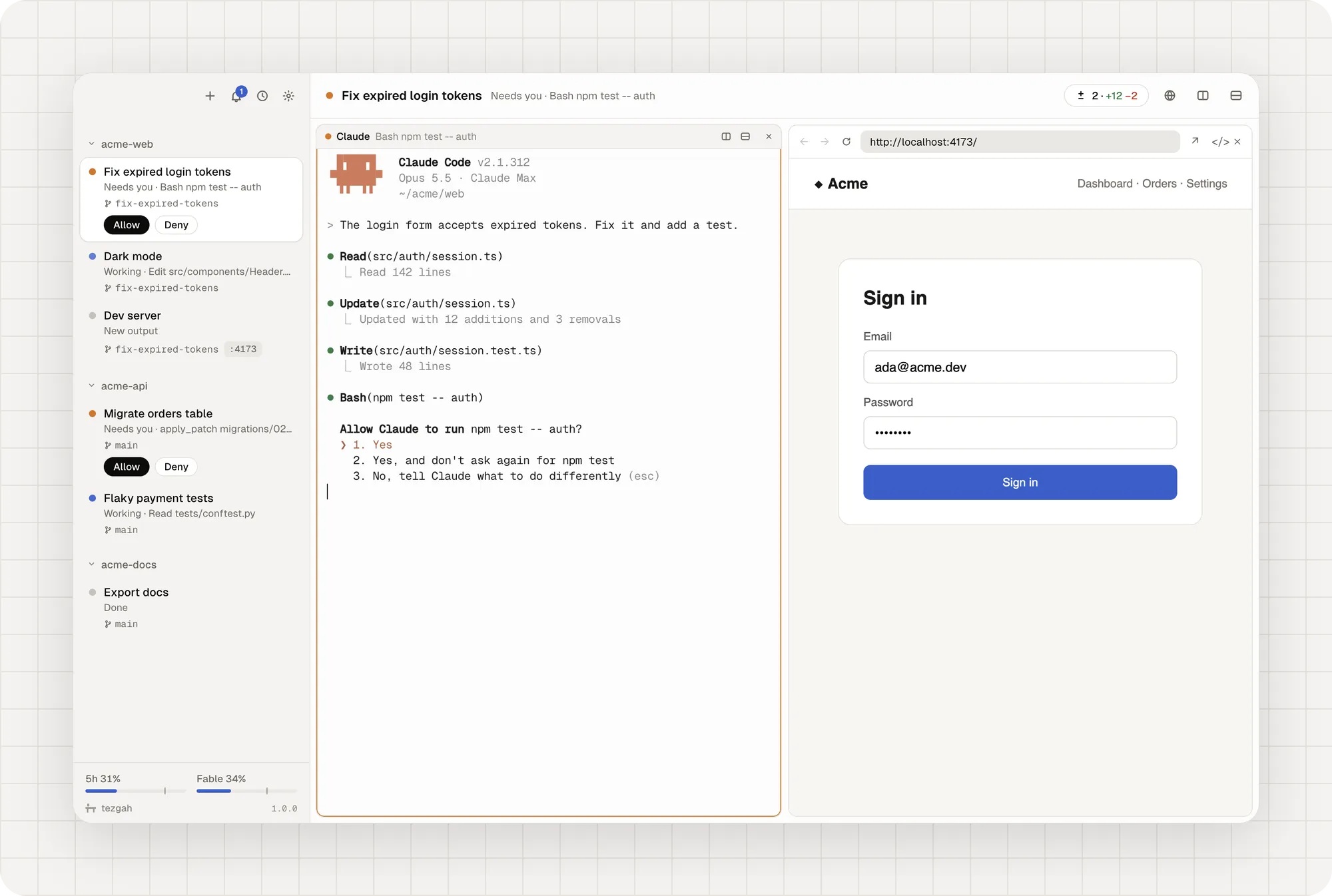
Tezgah (tezgâh, Turkish for workbench) is a terminal for working with AI coding agents. Your projects sit in a sidebar with the sessions you run in each one, and every agent in them, whether Claude Code, Codex, Gemini, Grok or another, shows what it’s doing: working, waiting for you, done. Keep several going and still know where to look.
How it’s organized
- Projects are folders. Each one is a group in the sidebar.
- Sessions live in a project. A session is a Claude conversation, a shell, an SSH connection, or any agent you start in a shell.
- Panes split a session. A session can hold several terminals and browser panes side by side.
What it does for you
- Live status for every agent. Claude Code reports its state itself; Codex reports through hooks Tezgah passes when you run it; other agents are read from what they print. See Agent status.
- Answer from the sidebar. Allow or deny permission prompts without opening the session. See Permissions & notifications.
- A browser your agents can use. Open your dev server beside the terminal and let the agent click through it. See The browser.
- Review, commit, ship. Read every change, leave notes for Claude, commit and open a pull request. See Changes.
What it costs
Nothing. Tezgah is free and open source under the MIT license, has no account and sends no telemetry. See Privacy for the network requests it does make.
You need Claude Code for Claude sessions. Shell sessions and other agents work without it.
Next: install Tezgah.